

Prerequisites
Before connecting Clari Copilot, ensure you have:Clari Copilot admin access
API access enabled in your Clari Copilot instance
AmpUp admin access for your organization
What Data Syncs
From Clari Copilot to AmpUp
Initial sync imports calls from the last 90 days. New calls sync automatically within minutes of processing.
Connect Clari Copilot
1
Navigate to Integrations
In AmpUp, go to Settings → Integrations → Clari Copilot.
2
Enter Provider Credentials
Click the Connect Clari Copilot button. AmpUp will prompt you to enter the API Key and API Secret from your Clari Copilot workspace settings (Workspace Settings → Integrations → Clari Copilot API). AmpUp securely stores these credentials and uses them to access your Clari Copilot data.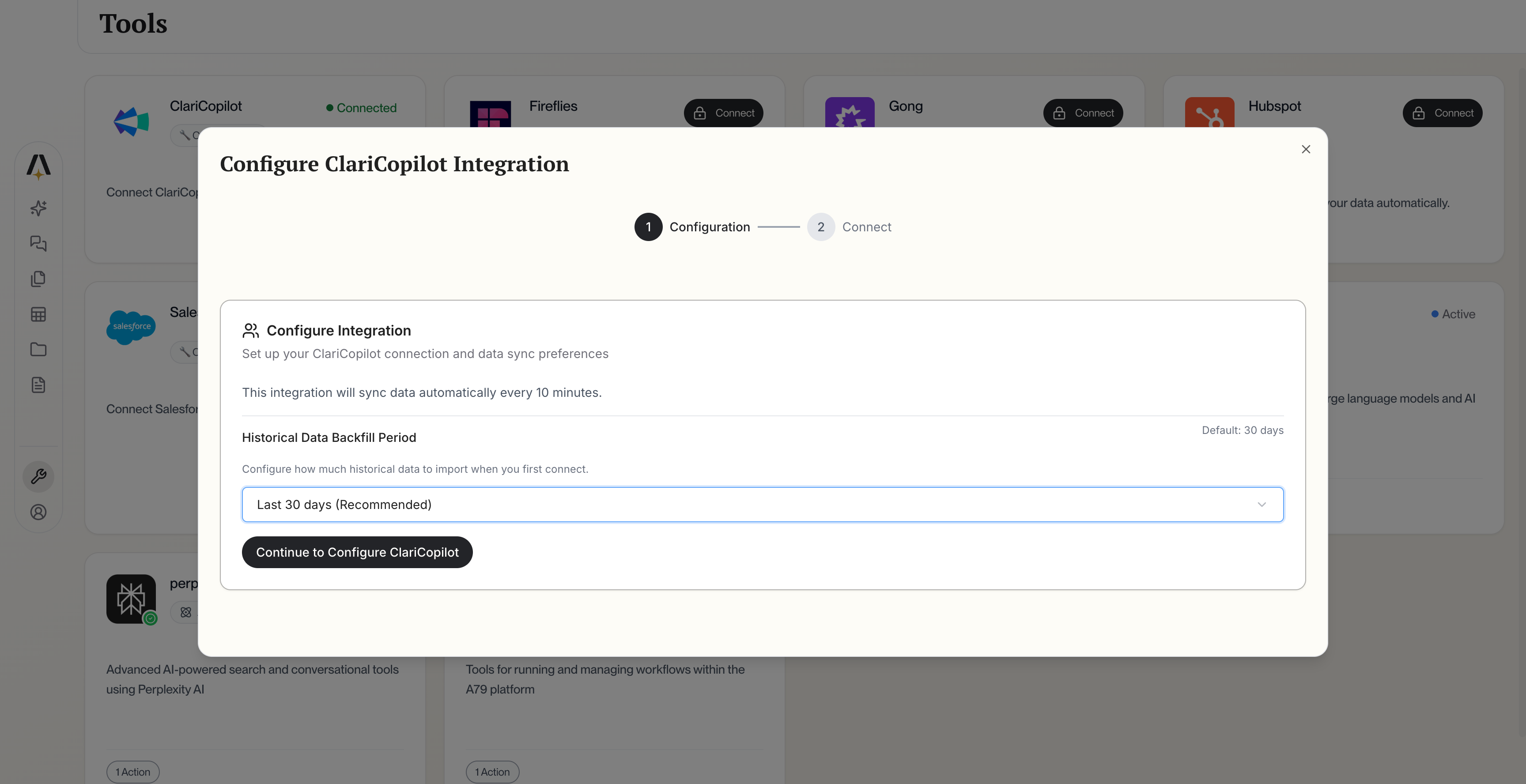
Clari Copilot Configuration
3
Configure Sync Settings
Select which teams and call types to include in the sync.
4
Initial Import
AmpUp will import your Clari Copilot calls. This typically takes 2-4 hours.
Configuration Options
After connecting, you’ll see the field mapping interface where you can configure which call data syncs from Clari Copilot.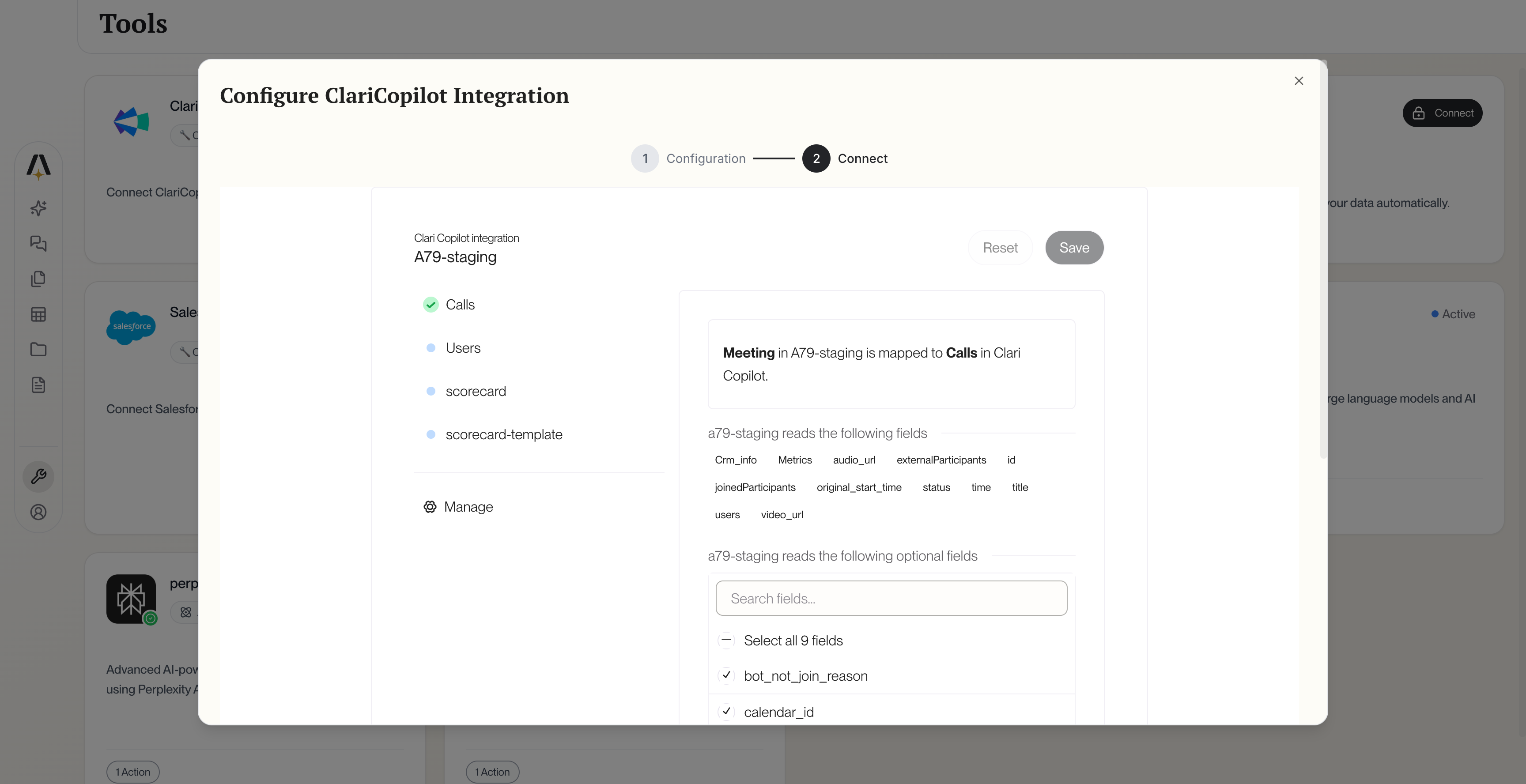
Clari Copilot Field Mapping
Team Selection
Choose which teams’ calls to import:- Go to Settings → Integrations → Clari Copilot → Teams
- Enable or disable teams as needed
- New calls from enabled teams sync automatically
Call Filters
Historical Import
Select your initial import range:- 30 days - Quick setup
- 90 days - Recommended
- 6 months - Extended history
- 1 year - Full history
How AmpUp Enhances Clari Copilot
Deeper Analysis
AmpUp’s AI goes beyond surface metrics to understand why deals win or lose.
Personalized Coaching
Each rep gets individualized feedback based on their specific calls and patterns.
Proactive Prep
Alex uses call history to prepare reps for upcoming meetings with the same accounts.
Skill Development
Maya creates practice scenarios targeting each rep’s growth areas.
Sync Status & Troubleshooting
Check Sync Status
View sync status at Settings → Integrations → Clari Copilot → Status.Common Issues
Calls not appearing in AmpUp
Calls not appearing in AmpUp
- Wait for Clari Copilot to finish processing the call (up to 2 hours)
- Verify the call meets minimum duration requirements
- Check that the team is included in sync settings
Missing transcripts
Missing transcripts
- Transcripts require clear audio quality
- Very short calls may not be transcribed
- Check if the call was recorded with transcription enabled
Connection expired
Connection expired
OAuth tokens periodically expire. Click Reconnect in integration settings to reauthorize.
Duplicate calls
Duplicate calls
If you have both Clari Copilot and another conversation intelligence tool connected, AmpUp deduplicates calls based on meeting time and participants.
Disconnect Clari Copilot
To remove the integration:- Go to Settings → Integrations → Clari Copilot
- Click Disconnect
- Confirm disconnection
FAQ
Can I use both Clari Copilot and Gong with AmpUp?
Can I use both Clari Copilot and Gong with AmpUp?
Yes, but we recommend connecting only one conversation intelligence platform to avoid duplicate calls and confusion.
Does AmpUp work with Clari (Revenue Platform)?
Does AmpUp work with Clari (Revenue Platform)?
This integration is specifically for Clari Copilot (conversation intelligence). Clari Revenue Platform integration is on our roadmap.
How does AmpUp handle Clari Copilot's battle cards?
How does AmpUp handle Clari Copilot's battle cards?
AmpUp imports battle card triggers as additional context but provides its own AI-powered coaching recommendations.
What happens to my Clari Copilot data?
What happens to my Clari Copilot data?
Your data remains in Clari Copilot. AmpUp creates a copy for analysis. Disconnecting AmpUp doesn’t affect your Clari Copilot data.